Project knowledge management is more than docs. Learn what it really means, the 5 mistakes most teams make, and how to set it up in one week.
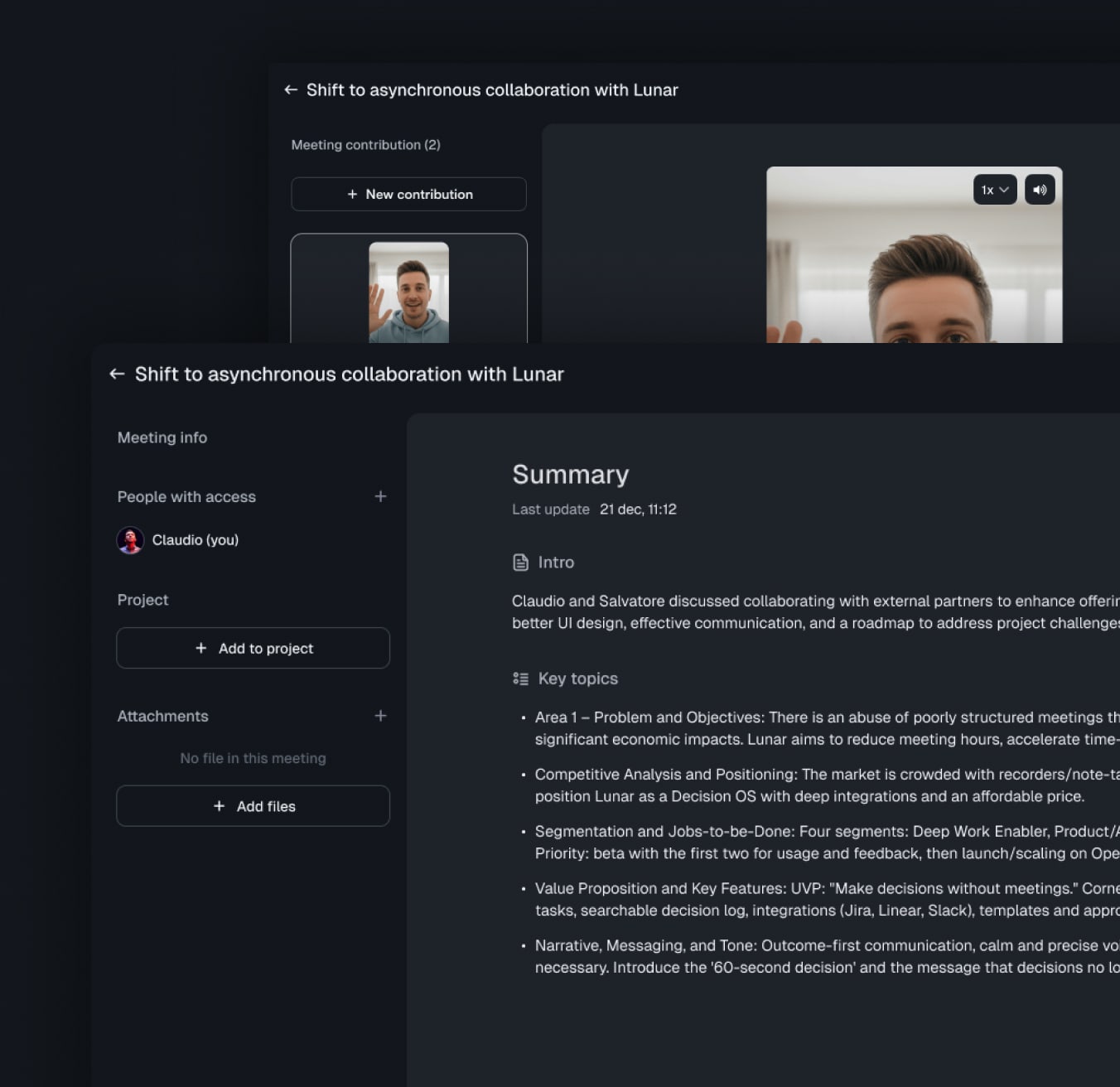
When a project gets complicated, the symptoms are always the same. Someone asks where the latest brief lives. Two people remember the same meeting differently. A new team member is onboarded with a recording from three months ago and a folder no one has updated since. Decisions get re-litigated, work gets duplicated, and momentum quietly drains away.
This is the gap project knowledge management is meant to close. The problem is that most teams think they're doing it because they have a Notion workspace or a Confluence space. They're not. They're storing documents. That's not the same thing.
In this guide, we'll look at what project knowledge management really is, why it's different from generic company knowledge management, the mistakes most teams keep repeating, and a simple way to set up a system that actually holds up under pressure. If your project already feels like a drowning in scattered project information, this is the level above that.
What project knowledge management actually means
Project knowledge management is the practice of capturing, organising and making accessible all the information a team needs to make decisions and move a project forward.
That includes the obvious stuff: briefs, specs, timelines, status updates. But it also includes everything that usually slips through the cracks:
The reasoning behind a decision, not just the decision itself
The context shared in meetings and side conversations
The trade-offs considered and rejected
Who owns what, and what changed last week
The goal isn't to hoard documents. It's to make sure that anyone working on the project, today or in six months, can quickly answer questions like "Why did we pick this vendor?", "What did the client agree to in March?" or "Where are we stuck?" without setting up a meeting or pinging three people on Slack.
When this works, projects become resilient. People can leave, join, take a holiday, or hand things over without turning the next two weeks into an archaeology project.
Company knowledge management vs project knowledge management
It's tempting to lump the two together, but they solve different problems.
Company knowledge management is mostly static. It deals with policies, brand guidelines, HR procedures, technical documentation. The information changes slowly and applies broadly across the organisation.
Project knowledge management is dynamic. The context shifts every week. New decisions invalidate old ones. The "truth" of a project is a moving target shaped by meetings, messages, edits, and external events.
This difference matters because the tools and habits that work for one don't always work for the other. A polished company wiki can sit untouched for months and still be useful. A project wiki untouched for two weeks is already misleading.
If you treat your project information like a static archive, it will rot. If you treat it like a living record, you have a chance.
The 5 mistakes most teams make
These mistakes show up over and over, regardless of company size or industry. If you recognise more than two, your project knowledge is probably leaking somewhere.
1. Confusing documents with knowledge
Having a folder of briefs is not the same as having accessible knowledge. Documents are containers. Knowledge is what people can actually find, understand and act on.
The test is simple: if a new joiner can open your project hub and answer five basic questions in ten minutes, you have knowledge. If they need to ask someone, you only have storage.
2. No clear owner
Project knowledge needs a custodian. Not a heavy-handed gatekeeper, but someone responsible for keeping the structure consistent and flagging when something is out of date.
When ownership is "everyone", in practice it's no one. Important updates land in DMs, decisions get recorded only in someone's head, and the documentation slowly drifts away from reality.
3. Static documentation that goes stale
A spec written at kickoff and never revisited is worse than no spec at all, because it gives a false sense of certainty. The team thinks they're aligned. They're not.
Working project knowledge gets updated as decisions evolve. That doesn't mean rewriting from scratch every week, just keeping a clear distinction between "what we thought going in" and "what we know now".
4. Knowledge stuck in silos
Critical context lives in places no one searches: a Slack DM, a thread on email, a comment in a Figma file, a recorded call no one has time to rewatch. The information exists, but it's effectively invisible.
The more tools your team uses, the more this happens. ool sprawl turns a project into a scavenger hunt across half a dozen apps.
5. No way to query past decisions
Even when information is stored well, most teams have no fast way to ask the project a question. They have to remember where to look, open three tools, scroll through an old meeting summary, and piece things together. That's the real cost of searching for information: not just minutes lost, but decisions made on partial context.
A project knowledge system that doesn't let you query it quickly is half a system. The retrieval matters as much as the capture.
What a working project knowledge management system looks like
A good system isn't defined by its tool. It's defined by what you can do with it. At a minimum, you should be able to:
Find any project decision, and the reasoning behind it, in under a minute.
See an up-to-date view of who owns what.
Pull together context from meetings, documents, messages and emails without switching tabs.
Onboard a new collaborator with a single starting point.
Trust that what you read is current, not three months old.
In practice, that usually means four building blocks:
A central hub where the project lives — a real single source of truth, not five half-updated docs.
Structured capture of decisions, owners, deadlines and open questions, kept separate from raw notes and meeting transcripts.
Connected sources so that meetings, emails, chats and documents feed into the hub instead of orbiting around it.
A retrieval layer that lets you ask questions in natural language and get answers grounded in your actual project. This is where you move from more than an AI notetaker to a real project memory.
The first three are mostly about discipline. The fourth is where modern tools change the game. When your project memory can be queried like a teammate, the cost of finding information collapses, and people actually use the system.
This is the gap Lunar is built to close: it captures meetings, emails and project context in one project memory layer and lets you ask questions across the whole project, not just one document at a time.
How to set up project knowledge management in one week
You don't need a six-month rollout. A small team can put a working system in place in five focused days.
Day 1 — Map the project. List every active project, the people involved, and the tools currently used to track them. Don't try to fix anything yet. Just see the landscape.
Day 2 — Pick the hub. Choose one place to be the source of truth for each project. It can be a Notion page, a Lunar project, a structured doc — anything, as long as there's only one per project.
Day 3 — Define the structure. For each project hub, agree on a simple template: goals, decisions, owners, current status, open questions, links to key sources. Keep it light. You can refine later.
Day 4 — Backfill the essentials. Don't migrate everything. Pull in only what's still relevant: current decisions, active owners, the latest version of the brief. Archive the rest.
Day 5 — Set the routine. Agree on three habits: who updates the hub after meetings, when decisions are logged, and how new context (emails, calls, docs) gets connected. Without a routine, the system collapses within two weeks.
The teams that get this right share one trait: they treat project knowledge as part of doing the work, not as documentation done after the fact.
Try Lunar
If your project information is spread across meetings, inboxes, docs and chats, the problem usually isn't your team. It's the system.
Lunar brings it all into one project memory you can actually ask questions to, so you stop sitting through another sync just to remember what you already decided. Project knowledge management, without the busywork.